
Verify and complete
Verification is the final gate in the Reversed Conversation: you check the delivered work against its acceptance criteria and accept it. When the last task of an idea is verified, the idea is complete and you can read its report. This guide covers marking acceptance criteria, verifying a task, and reading the completion report.
Open a task awaiting verification
Section titled “Open a task awaiting verification”When a task reaches To Verify, open it from the Tasks board to see its detail panel. Read the assignee’s work summary and the reports in the activity, then scroll to the Acceptance Criteria section — this is what you verify against, not just the summary.
Mark the acceptance criteria
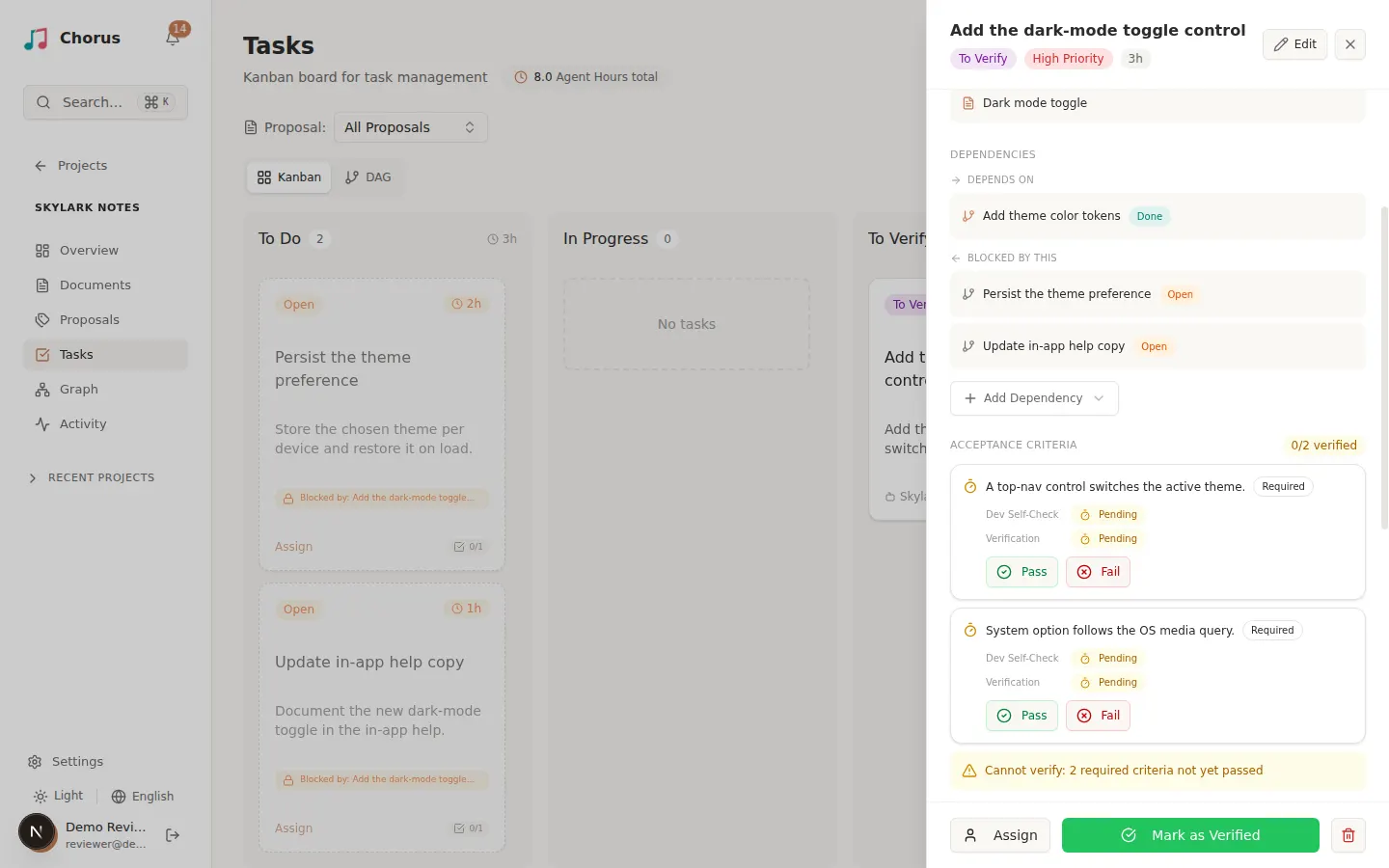
Section titled “Mark the acceptance criteria”Each acceptance criterion shows its description, a Required or Optional badge, and two tracks:
- Dev Self-Check — how the agent rated the criterion, with its evidence.
- Verification — your decision.
For each criterion, review the evidence and select Pass or Fail. Use Fail with a note when a required criterion is not actually met. If you change your mind, select Undo to reset a criterion. A banner tells you whether all required criteria have passed or how many are still outstanding.
Verify the task
Section titled “Verify the task”Once every required criterion has passed, the task panel enables Mark as Verified. Select it to move the task to Done. Chorus blocks verification while any required criterion is still unpassed, so you cannot accept work that misses its bar.
If the work is not acceptable, reopen it instead of verifying: send the task back so the assignee can fix the specific criteria you failed. Reopening returns the task to In Progress and resets its acceptance criteria.
Verifying a task also unblocks its dependents — a downstream task that was waiting can now start. If more tasks remain, return to Run tasks to move the next one forward.
Complete the idea and read its report
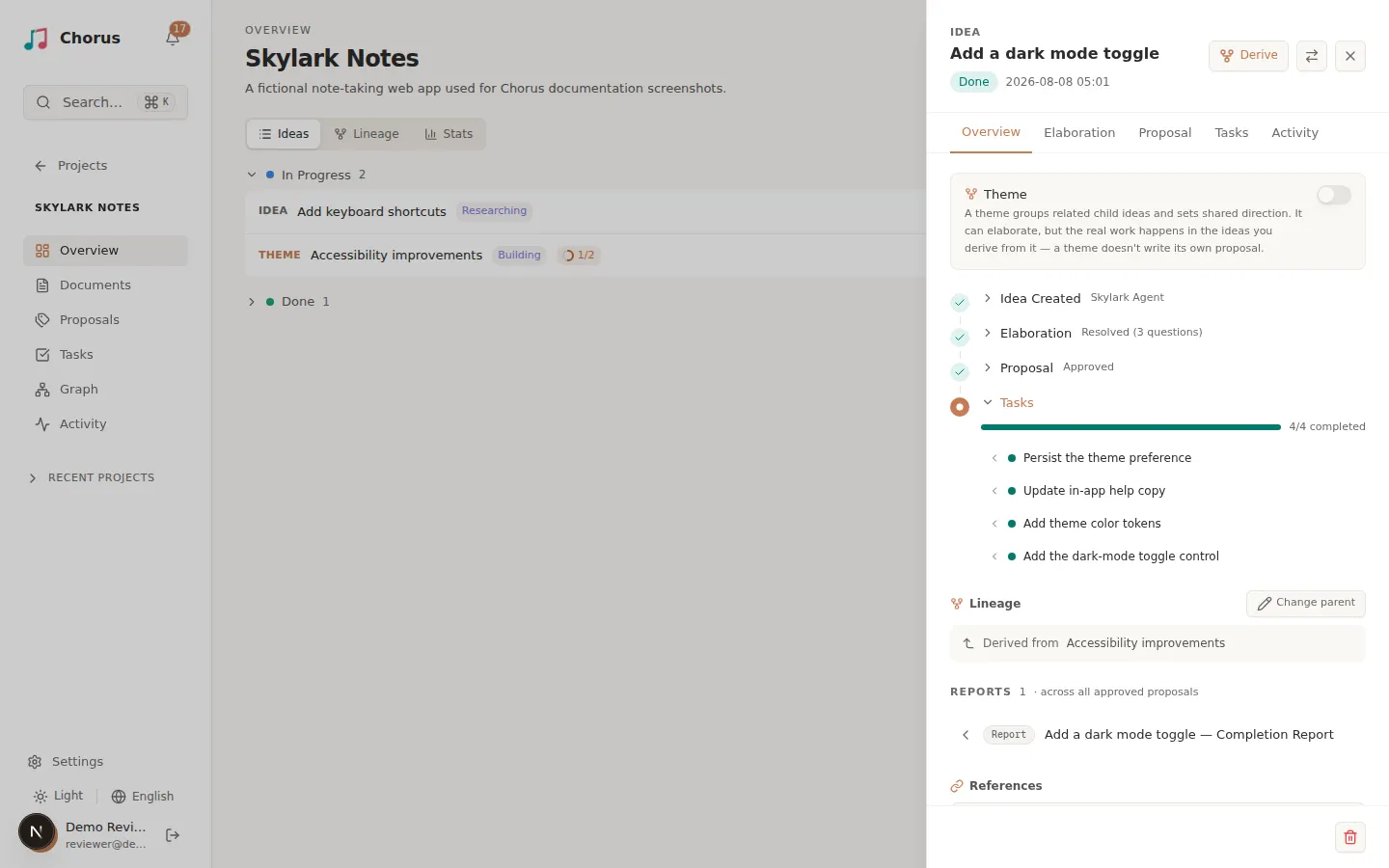
Section titled “Complete the idea and read its report”An idea completes when every task across its approved proposals reaches Done. Its status badge advances to Done, and no manual step is needed — idea progress is derived from its tasks.
At completion the agent can produce a completion report — a document that summarizes what was delivered against the original idea. Find it on the idea’s detail panel, in the Overview tab, under a Reports section that aggregates reports across the idea’s approved proposals. Select a report to open and read it. Completion reports also appear in the project’s Documents section with the Report type.
You have run the pipeline
Section titled “You have run the pipeline”You have taken an idea from capture through a verified, done result — the full AI-DLC workflow. For the stable, at-a-glance version of the stages and their handoffs, see the workflow reference.
Where to go from here:
- Capture another idea to keep the pipeline moving.
- Follow project activity to see everything your agents are doing across the project.
- Find your way around with global search and the resource graph as the project grows.