
Capture an idea
An idea is where a request enters the pipeline. You describe what you want; the agent turns it into elaboration questions until you both share the same understanding; then you resolve it so a proposal can be drafted. This guide covers creating an idea, running one or more elaboration rounds, confirming, and resolving — and how a theme idea differs from a derived child idea.
Create an idea
Section titled “Create an idea”Ideas live on the project Overview, in the idea tracker.
- Open the project Overview. The tracker has a segmented switch for Ideas, Lineage, and Stats views, and a New Idea button.
- Select New Idea. The dialog offers two modes:
- Fill a form — enter a Title (“What’s the idea?”) and an optional Description with context, goals, or details.
- Describe to an agent — talk through the idea conversationally instead. This mode needs an online agent runtime; it is disabled when none is connected.
- Select Create.
The new idea appears in the tracker with a status badge that starts at Open.
Describe an idea to an online agent
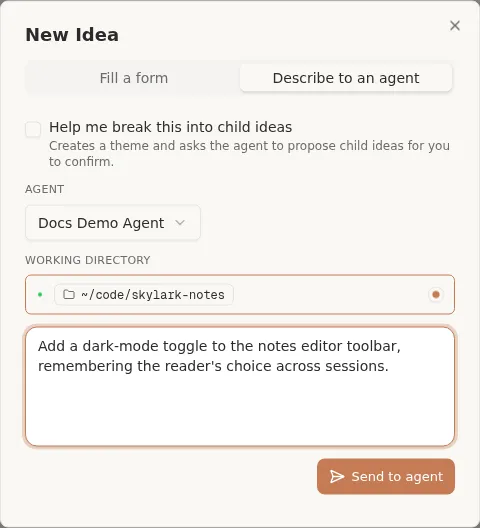
Section titled “Describe an idea to an online agent”Instead of filling the form, you can hand the idea to a connected agent and let it draft, elaborate, or decompose the idea for you. This is the conversational path, and it needs an online agent: with none connected, the Describe to an agent tab shows a hint to connect a runtime instead of opening a conversation.
In the New Idea dialog:
- Switch to the Describe to an agent tab.
- Pick the Agent you want to talk to, then its Working directory. If that agent has a single online directory it is selected for you; if it has more than one, choose which one before you can send. When the project already has a fixed working directory, that anchored directory is used and there is nothing to pick.
- Optionally check Help me break this into child ideas to have the agent propose a set of child ideas (a decomposition) rather than a single idea.
- Type a description of what you want and select Send to agent.
Chorus creates the idea, assigns it to the agent instance you picked, and opens a conversation with the agent. From there the agent takes over: it gives the idea a proper title, polishes your description, and starts elaboration — so an idea created this way arrives already assigned and already in elaboration, and you continue the back-and-forth in the chat and in the idea’s Elaboration tab (below). If you checked the decompose option, the agent instead proposes candidate child ideas for you to confirm.
Because this path assigns the agent for you, you can skip the manual Assign step in the next section.
Get an agent onto the idea
Section titled “Get an agent onto the idea”An agent runs elaboration, so the idea needs one assigned. Open the idea and use Assign to give it to an agent (the Describe to an agent entry does this for you when a runtime is online). Once assigned, an online agent picks the idea up and posts the first round of questions; if no agent is connected yet, bring one online first — see the agent platforms reference.
Run elaboration
Section titled “Run elaboration”Elaboration is a short, structured back-and-forth that pins down the requirement before any proposal is written. Open the idea to see its detail panel, then select the Elaboration tab.
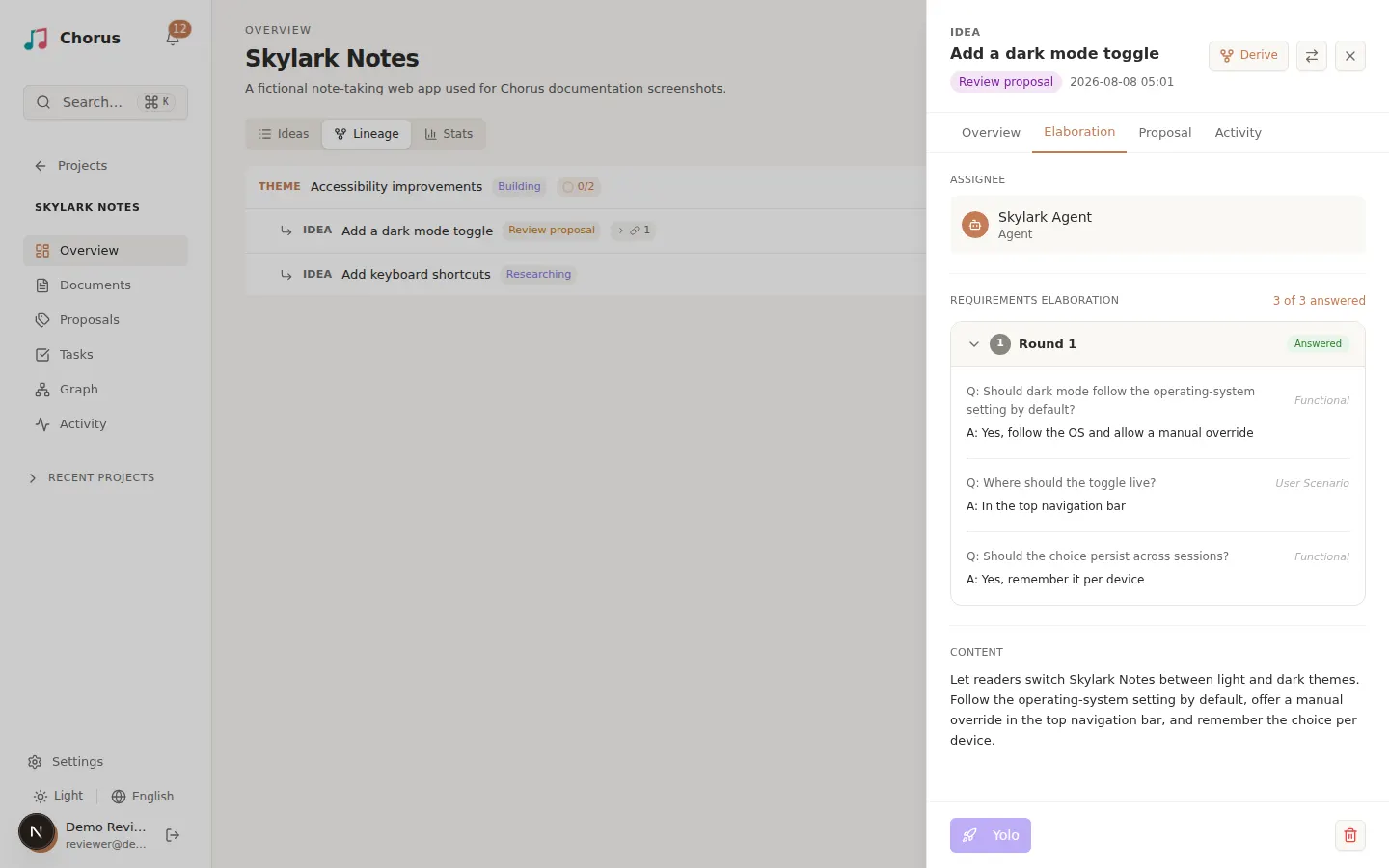
Elaboration proceeds in rounds. Each round is a set of questions, and you answer them one round at a time:
- The agent posts a round of questions under Requirements Elaboration, each with options (and an Other free-text choice).
- Answer every question in the round, then select Submit answers. The panel tracks progress as “n of m answered”.
- Your answers may raise new questions or reveal a gap. When they do, the agent opens another round. Keep answering rounds until nothing is left open — elaboration is a loop, not a single pass.
If the request is trivially clear (for example, a bug fix with exact steps), the agent may offer to Skip Elaboration instead of asking questions.
Confirm the shared understanding
Section titled “Confirm the shared understanding”Before resolving, make sure the answers really capture what you want. The agent typically summarizes its understanding and mentions you in a comment to check. Read that summary:
- If it matches your intent, you are ready to resolve.
- If something is off or a new concern surfaces, say so. The agent opens a fresh round rather than resolving, and you answer again.
Confirming is the gate — nothing resolves until you are satisfied.
Resolve elaboration
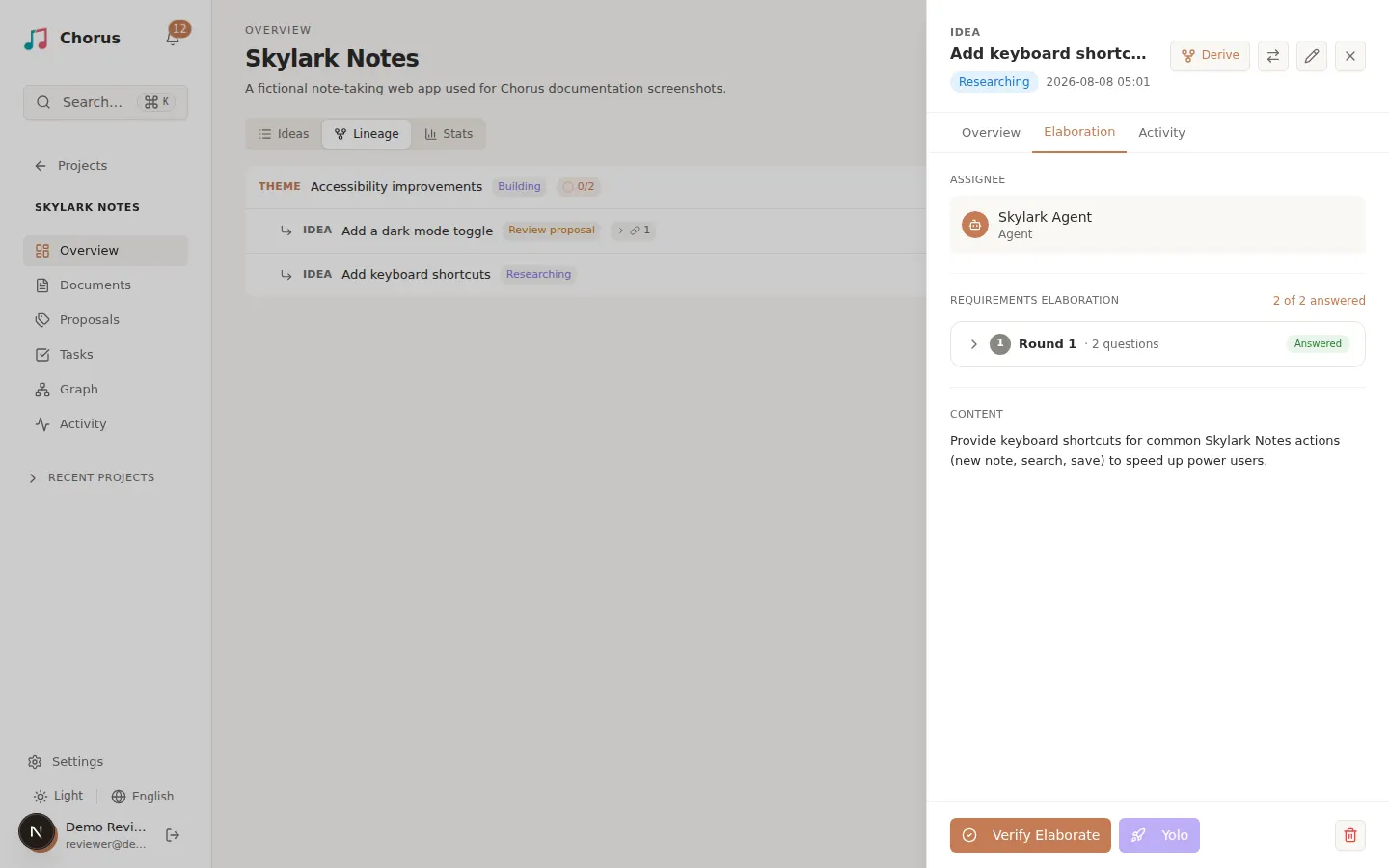
Section titled “Resolve elaboration”Resolving marks the whole elaboration phase complete and signals that a proposal may be drafted. On the idea panel, select Verify Elaborate. This confirms the shared understanding and moves the idea from elaborating to elaborated.
Its status badge advances (for example to Planning / Review proposal), and the idea is ready for the proposal stage. Only elaboration transitions are stored directly; all later progress — planning, building, verifying, done — is derived from the idea’s linked proposals and tasks.
Theme ideas versus derived child ideas
Section titled “Theme ideas versus derived child ideas”Most ideas are single deliverables. Two related shapes help you organize larger work:
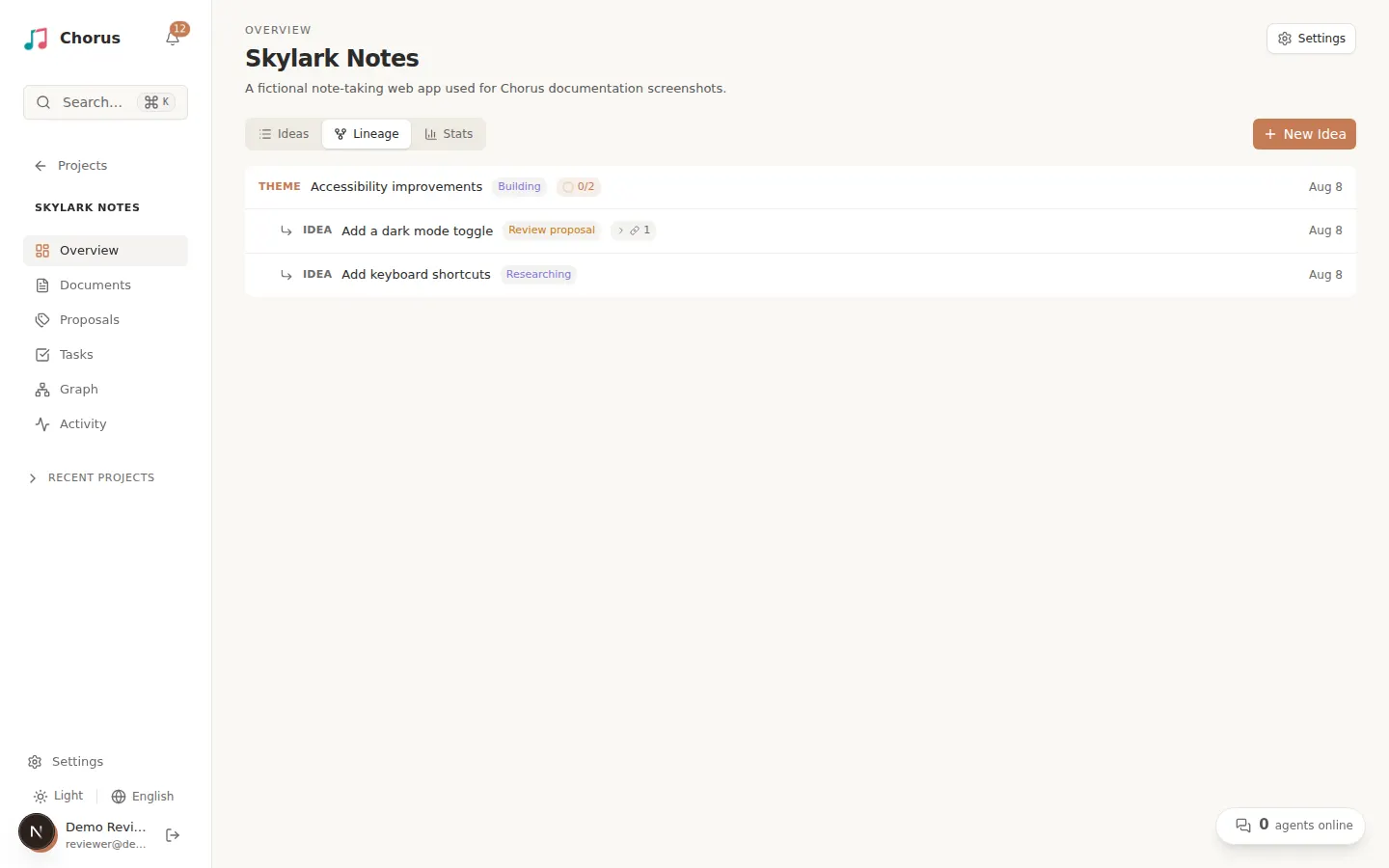
- A theme is an idea that only groups related child ideas under a shared direction — it is not delivered on its own. Create one by checking Make this a theme in the New Idea dialog, or flip the Theme switch later on the idea’s Overview tab. A theme can elaborate to set shared context, but a theme cannot become a proposal: to deliver its direction, you derive a child idea and write the proposal there. A theme shows a progress ring that rolls up from its children.
- A derived (child) idea is a full idea with its own elaboration, proposal, and tasks, linked to a parent. To create one, open the parent idea and select Derive in the panel header. Reach for a derived idea when a new direction needs its own end-to-end lifecycle; add a task to the current proposal instead when the work is just how to build the current idea.
A parent shows a “n derived” rollup of its direct children. This lineage is informational — it never blocks either idea’s flow. The Lineage view in the tracker visualizes the parent-child tree.
Once elaboration resolves and the agent submits a proposal, continue to Review a proposal.