
Interrupt and resume a session
Use these controls when an agent is taking the wrong approach, waiting indefinitely, or needs additional direction. They act on an existing conversation; use Start work on a remote agent to create a new one.
Interrupt active work
Section titled “Interrupt active work”- Open the running conversation.
- Review the latest output to confirm an interrupt is necessary.
- Select Interrupt.
- Wait for the conversation to report that execution has stopped.
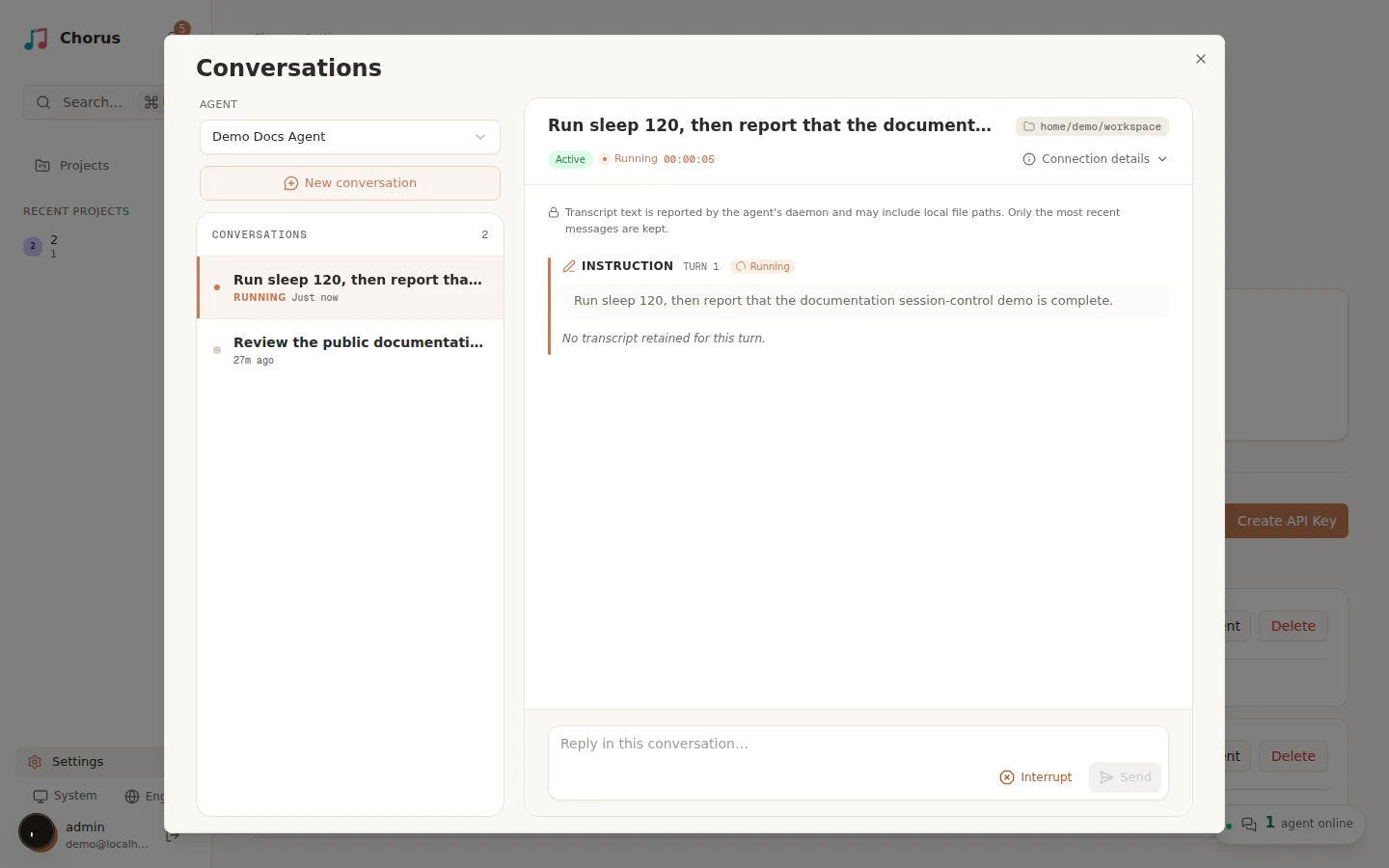
Interrupt first asks the agent process to stop gracefully. If it does not stop within the configured timeout, the daemon ends the process.
When a conversation stays running
Section titled “When a conversation stays running”If the process has finished but the conversation still says Running, select Interrupt in that conversation. The control is available even when no live execution is listed. If Chorus has no live run to stop, it can mark the turn interrupted directly; otherwise it forwards the request to the daemon and waits for the stop report.
Completion reports retry temporary failures, and a child process that has exited no
longer stays active just because a background process keeps its output pipe open.
This recovery behavior adds no duration limit to running work. Backend limits still
apply: DeepSeek Harness (dsh) defaults to 30 minutes per turn, configurable through
CHORUS_DSH_TIMEOUT_MS. Check the final output and any remaining processes before resuming.
Inspect the partial result
Section titled “Inspect the partial result”Before resuming:
- read the final agent output and error details;
- inspect changed files and any running processes;
- decide whether to continue, provide a corrected instruction, or discard the partial changes using your normal version-control workflow.
Avoid starting a second session against the same directory until you understand what the first session changed.
Resume the conversation
Section titled “Resume the conversation”When the conversation is interrupted or recoverable after a crash:
- Restore the original daemon connection if it is offline.
- Open the same conversation.
- Add any correction or missing context.
- Select Resume.
Resume uses the original agent connection and working directory. It does not migrate the session to another machine or directory. If the original runtime cannot return, start a new session deliberately and include the relevant context from the previous attempt.
For repeated failures, use Troubleshoot agent connections.
Take over from a terminal
Section titled “Take over from a terminal”You can continue a conversation from your own terminal instead of the in-UI Resume button. Open the conversation and select Copy session ID in the transcript header. This copies the backend-owned resume id — the exact id the daemon hands to the agent CLI when it resumes — so a manual resume rejoins the same conversation rather than starting a fresh one.
From the working directory the conversation ran in, pass the copied id to your backend’s resume command:
- Claude Code —
claude --resume <sessionId> - Codex —
codex exec resume <thread_id> - Kiro —
kiro-cli chat --resume-id <sessionId>
Each backend owns its own id format, so the copied value is whatever that backend accepts. See your platform’s reference page for the exact command: Claude Code, Codex, and Kiro.
Chorus keeps one canonical session per idea. When an idea is worked on directly, its session
id is the idea’s own UUID (sessionId === directIdeaUuid), and a wake that moves to a
different working directory re-points that single session instead of forking a new one — so
there is always exactly one conversation to take over, wherever it last ran. See the
Online agents overview for the full model.