
Start work on a remote agent
Use remote start when an agent runtime is already Online and you want Chorus to begin work on that machine.
Select the runtime
Section titled “Select the runtime”Before starting work, confirm:
- the agent identity is the one intended for the project;
- the connection is Online;
- the host is the expected machine;
- the working directory contains the project you want to change.
When a project or task is pinned to a specific connection, Chorus continues to use that host and working directory. If that connection is offline, restore it or deliberately select a different target. Chorus does not silently move pinned work.
Start a session
Section titled “Start a session”- Open the project item you want the agent to handle.
- Choose the action that starts or continues agent work.
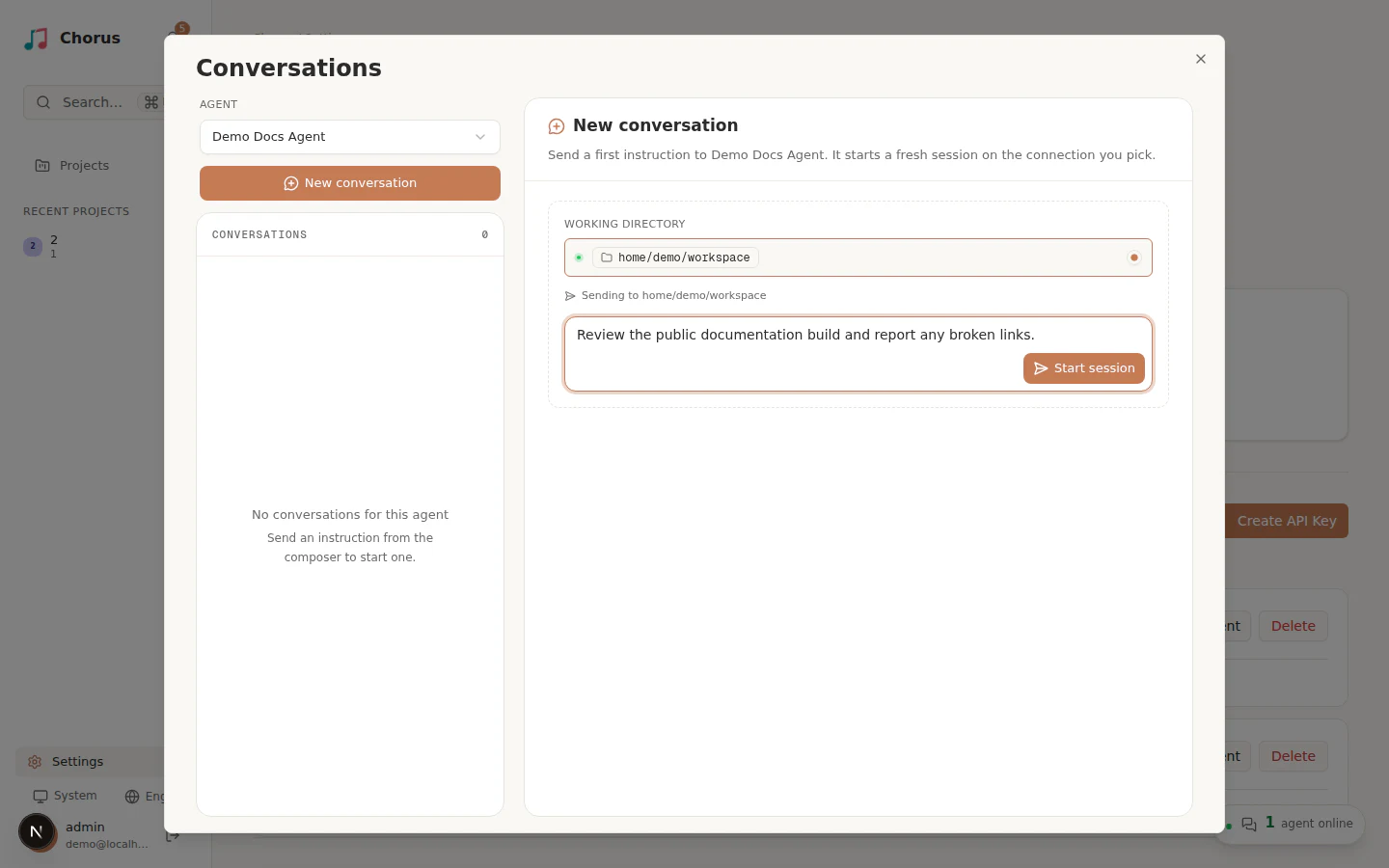
- Select the online working directory.
- Enter a specific instruction, including the expected result and any constraints.
- Select Start session.
Follow sessions on mobile
Section titled “Follow sessions on mobile”On a small screen, the conversation opens in a nearly full-screen sheet. Use the back control to return to the session list and pick another conversation. Selecting an active session opens it directly even when it is outside the loaded page of history. The compact transcript header offers Copy session ID for terminal takeover once the agent’s session ID is available.
Observe the result
Section titled “Observe the result”Open the conversation to follow the current turn and agent output. Confirm that the session starts on the selected connection before leaving it unattended.
If no session starts, first check whether the target is still online. Use Troubleshoot agent connections for delivery failures. Use Interrupt and resume a session when a session has already started but needs intervention.