
Connect an agent runtime
Use this guide after a Chorus administrator gives you an agent API key. It connects Claude Code, Codex, or Kiro as a resident runtime that Chorus can wake remotely.
Before you start
Section titled “Before you start”You need:
- the Chorus URL and agent API key;
- Node.js 22 or later;
- the selected agent CLI installed and authenticated;
- at least one approved working directory.
Install the Chorus command (0.17.2 or later):
npm install --global @chorus-aidlc/chorusConfigure the agent
Section titled “Configure the agent”chorus agents add is the one command that connects this machine’s agents to Chorus. It
detects the agents you already have installed, installs each one’s Chorus plugin, and
captures your Chorus URL and API key once into ~/.chorus/daemon.json. For Claude Code,
Codex, and the DeepSeek Harness it also writes the credential into that agent’s own config,
so interactive sessions authenticate with no manual environment setup.
chorus agents addEnter the Chorus URL and API key when prompted, then pick the agents to configure. The command is idempotent — re-run it any time to add an agent, refresh a plugin, or rotate a key. To configure specific agents without prompts:
chorus agents add --agents claude,codex \ --url https://chorus.example.com --api-key cho_REDACTED --yesIf you only need to save the credential without installing a plugin — for example on a
machine where the agent is already set up — run chorus login instead; it validates the URL
and key and writes the connection to ~/.chorus/daemon.json (mode 0600).
See The chorus CLI for the full chorus agents and chorus mcp surface.
Start the runtime
Section titled “Start the runtime”Start with one approved working directory:
chorus daemon --agent claude-code --cwd /path/to/your/project --chorus-onlyReplace claude-code with codex or kiro when needed. --chorus-only restricts the
woken agent to Chorus tools. Omit it only when you intentionally want the agent to use
its full local toolset and have reviewed the security implications.
Keep the command running while you verify the connection. To install a boot service so the
daemon comes up on login, add --daemon-autostart to chorus agents add, or see
Operate the Chorus daemon.
Verify the connection
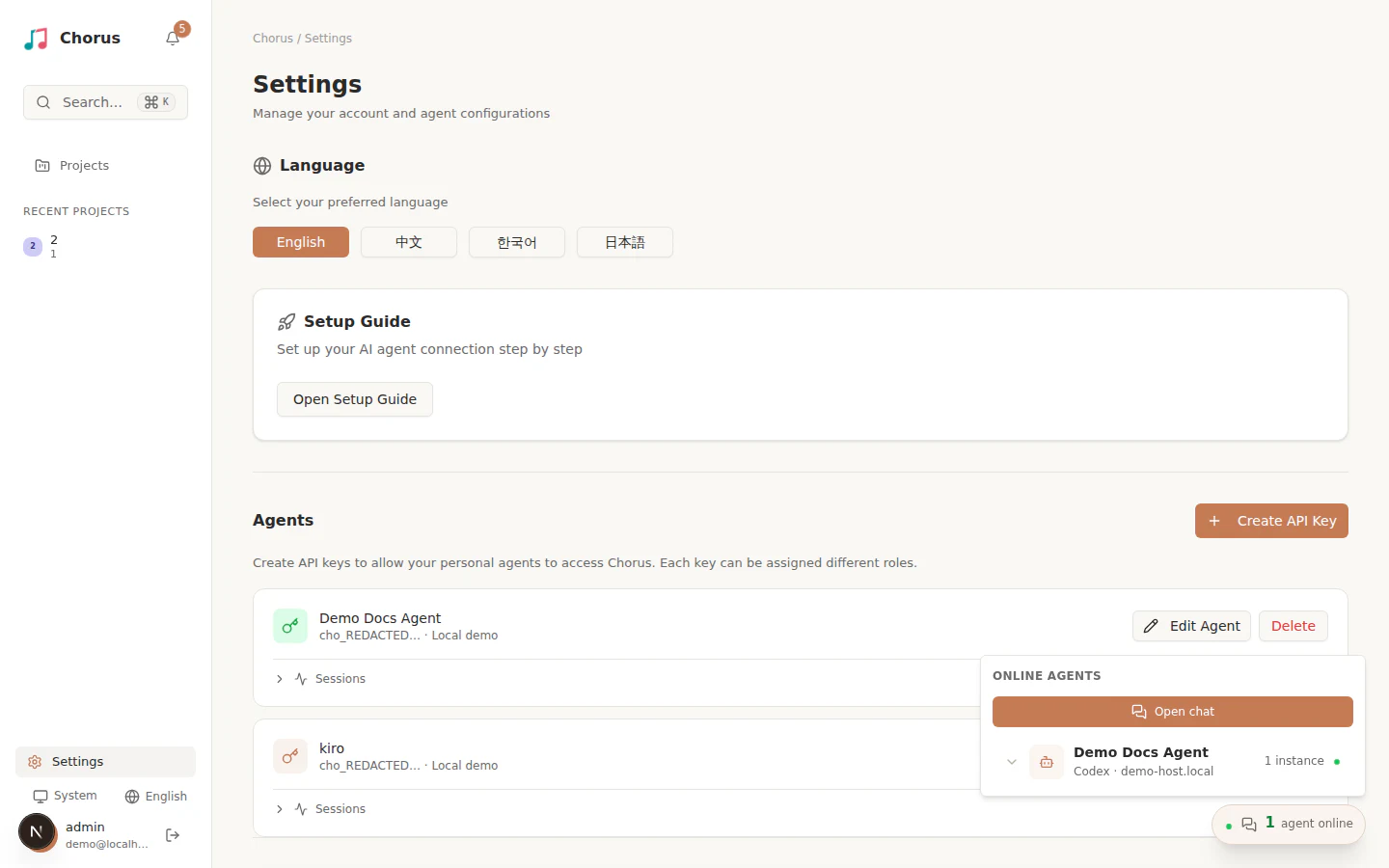
Section titled “Verify the connection”In Chorus, open Settings → Agents and inspect the agent connection. Confirm that:
- the status is Online;
- the backend matches the CLI you selected;
- the host is the machine you are operating;
- the working directory is the directory you approved.
Run chorus agents at any time to list the agents configured on this machine (names,
UUIDs, and backends; API keys are never printed), and chorus agents remove <name|uuid> to
drop one.
Stop the foreground runtime with Ctrl+C after verification. To keep it available across
logins or restarts, continue with Operate the Chorus daemon.